SUBA
Secure USB Backup Agent
The simplest way to back up USB drives – securely, silently, locally.
Secure USB Backup Agent
The simplest way to back up USB drives – securely, silently, locally.
SUBA automatically backs up your USB drive contents as soon as the drive is inserted. It runs quietly in the background, requires no cloud, no internet access, and respects your privacy.
Configure once. Then forget it. You're backed up from now on.
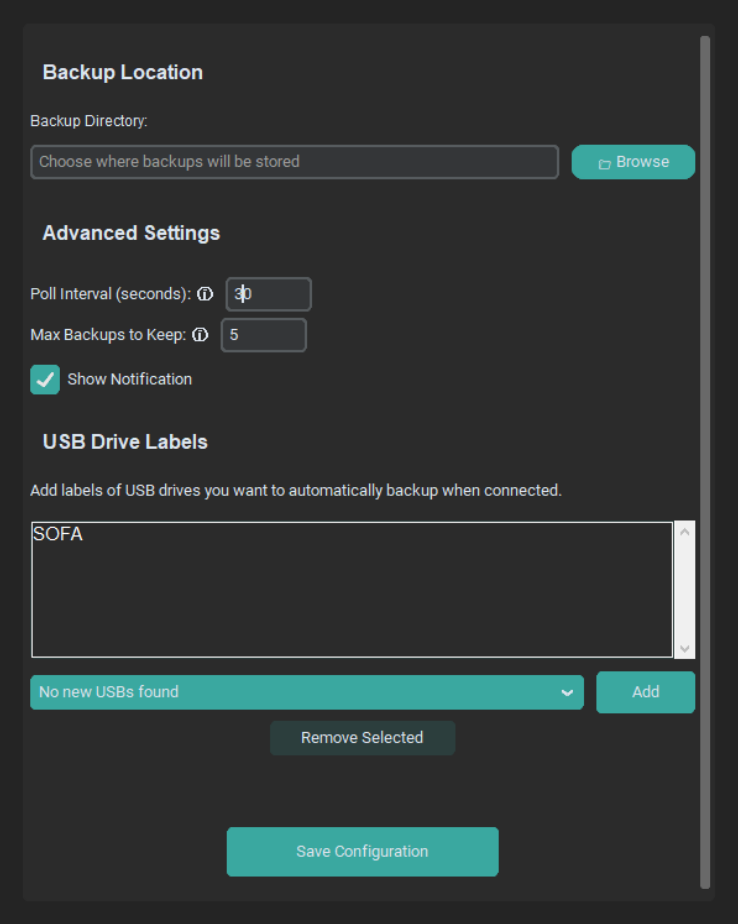
SUBA runs silently after this initial setup.
Currently available for Windows 10/11. Free and lightweight.
This project is maintained by a single developer. If it helps you, consider buying me a coffee 😉